System Demo Walkthrough
Follow how users interact with the system step-by-step
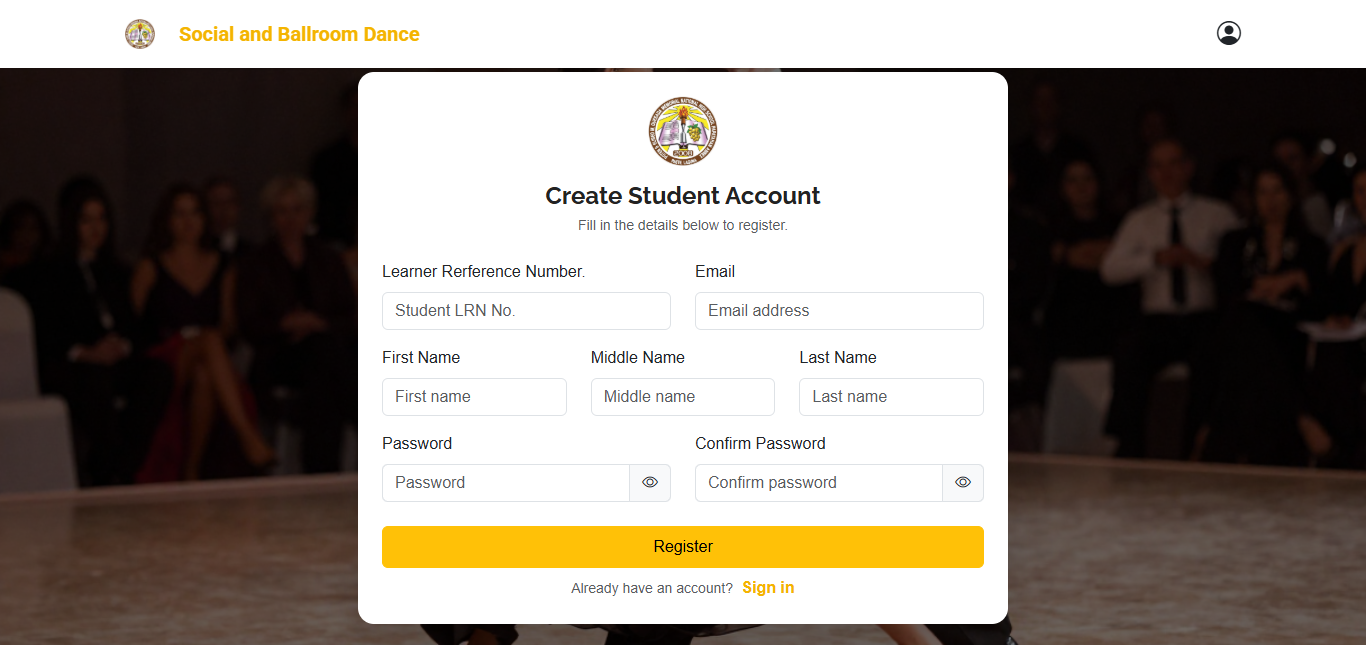
Step 1: Register
Create an account to start using the system.
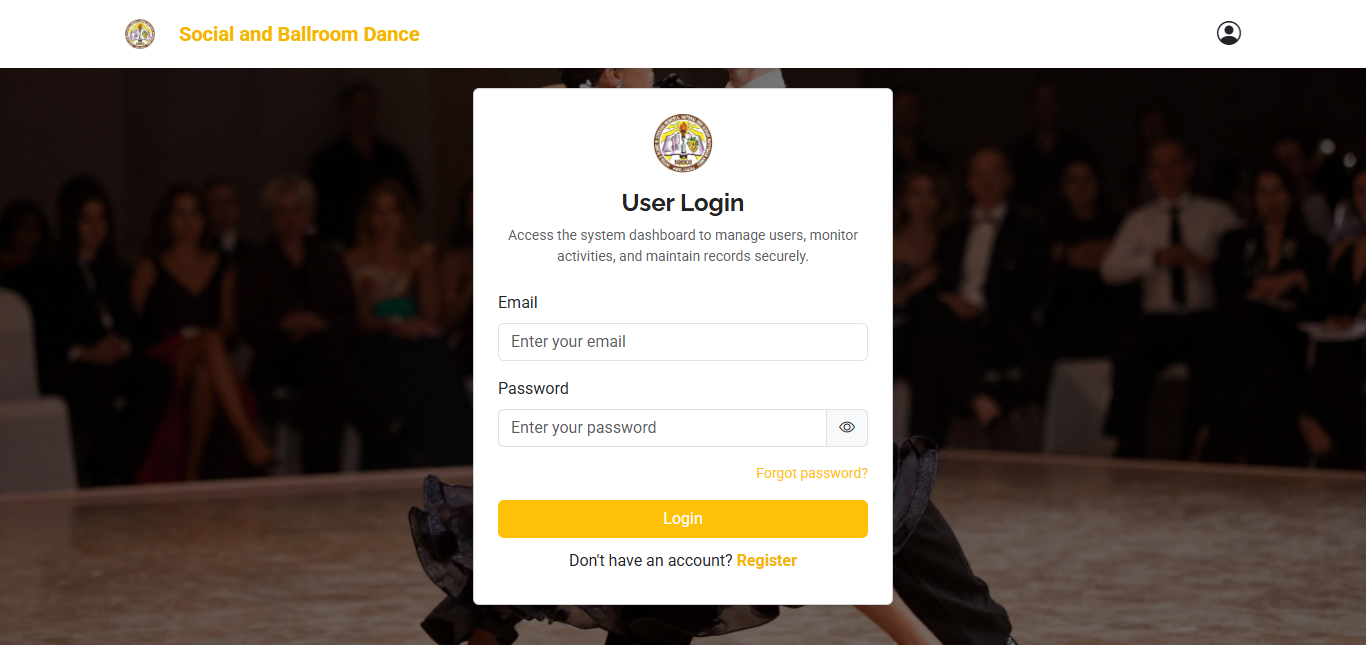
Step 2: Login
Students log in using their registered email and password to access the system.
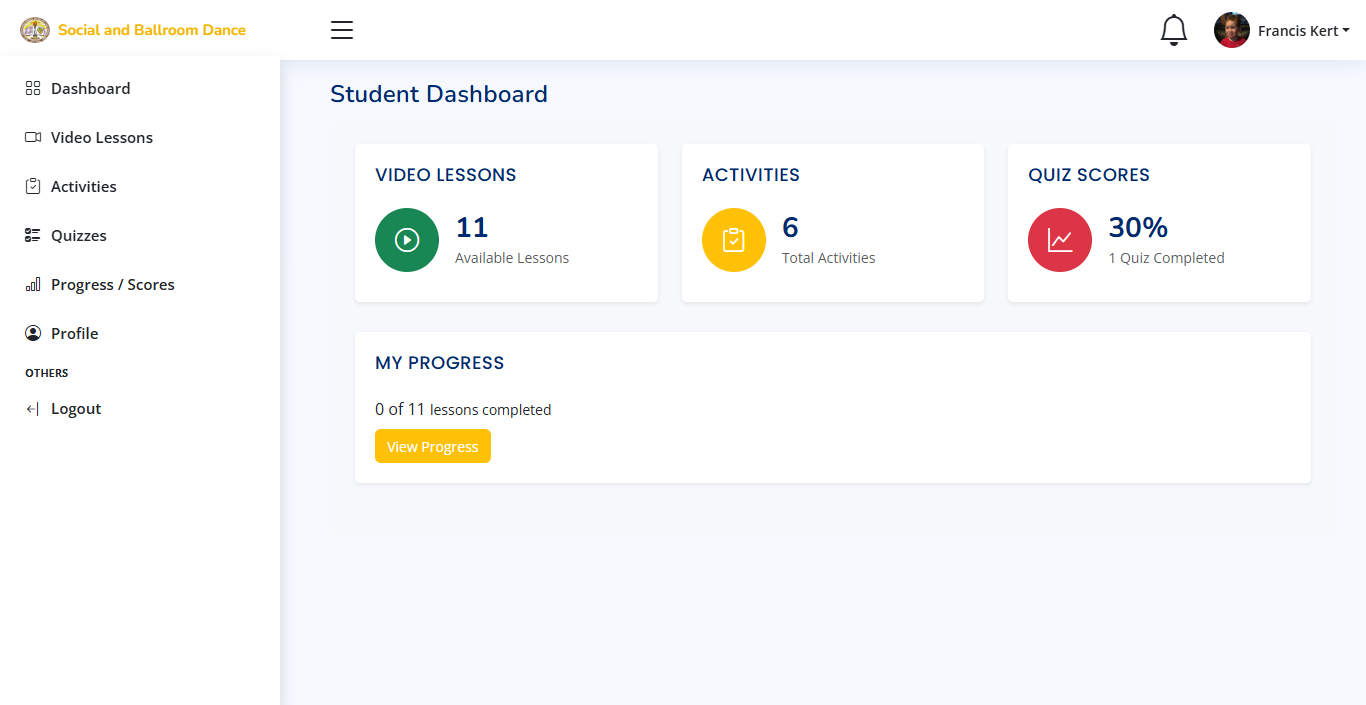
Step 3: Dashboard
Access the main dashboard where students can browse available dance lessons and system features.
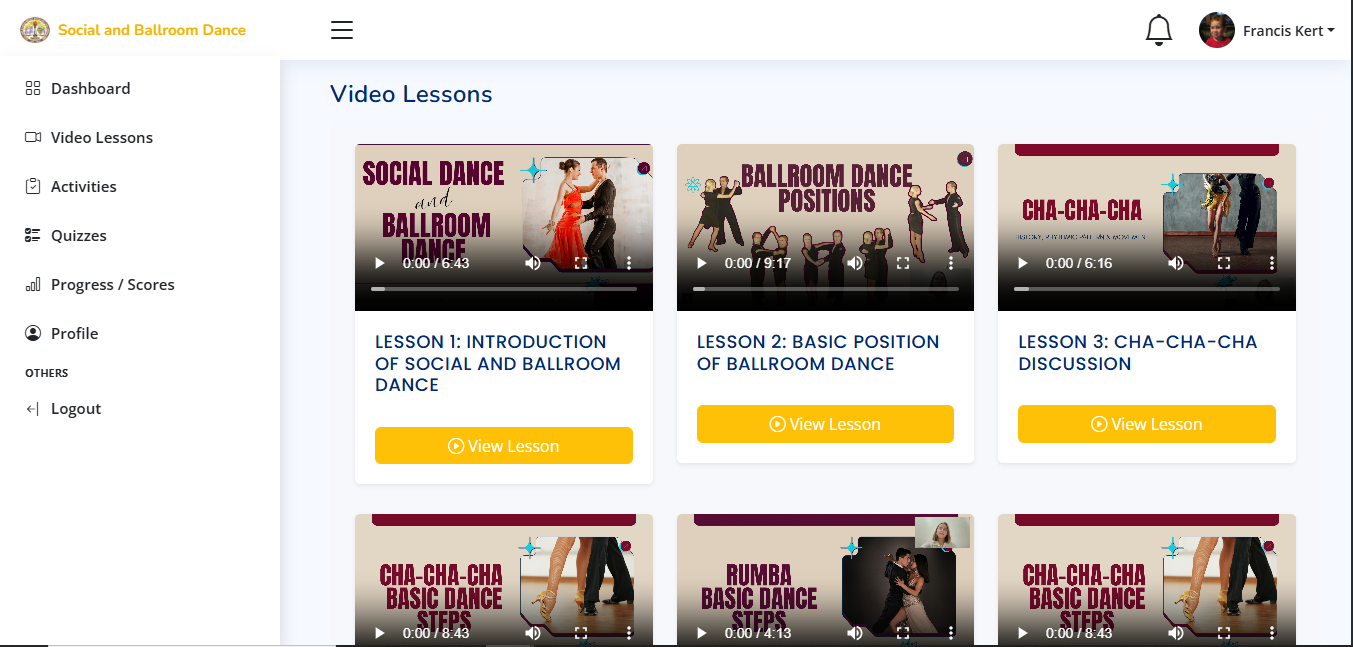
Step 4: Video Lessons
Students can watch structured video lessons to learn dance steps and techniques in a guided format..
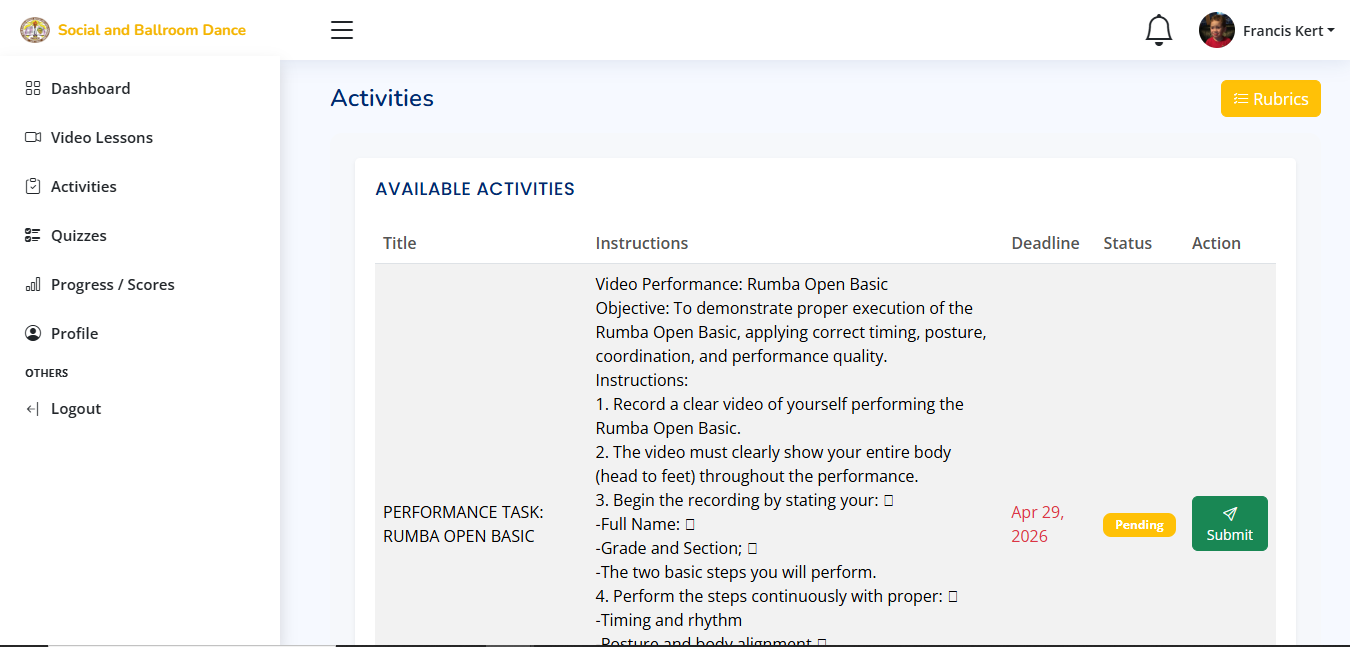
Step 5: Activities
Students can participate in dance-related activities and practice tasks to improve their skills and monitor progress.
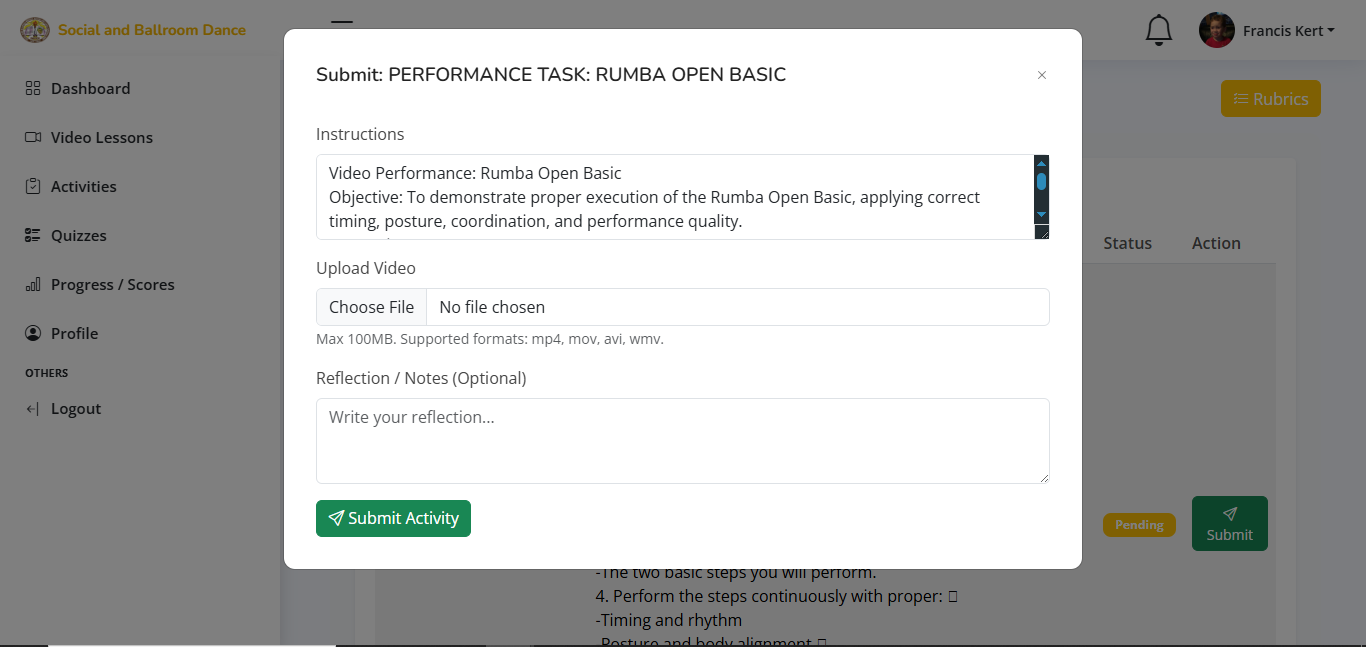
Step 6: Performance Tasks
Students can submit their dance performance tasks for evaluation, allowing them to track their progress and improve their skills.
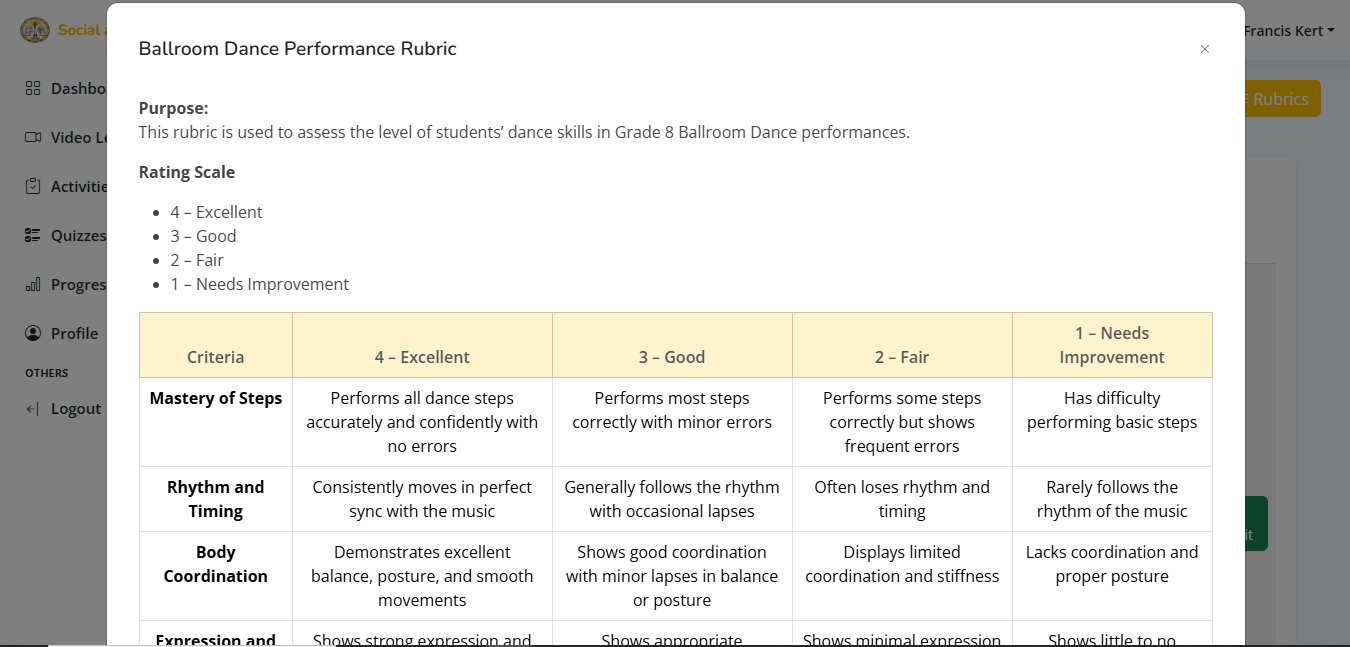
Step 7: Ballroom Dance Performance Rubric
The Ballroom Dance Performance Rubric evaluates students based on timing, technique, coordination, expression, and choreography execution to ensure fair assessment of their dance performance and skill development.
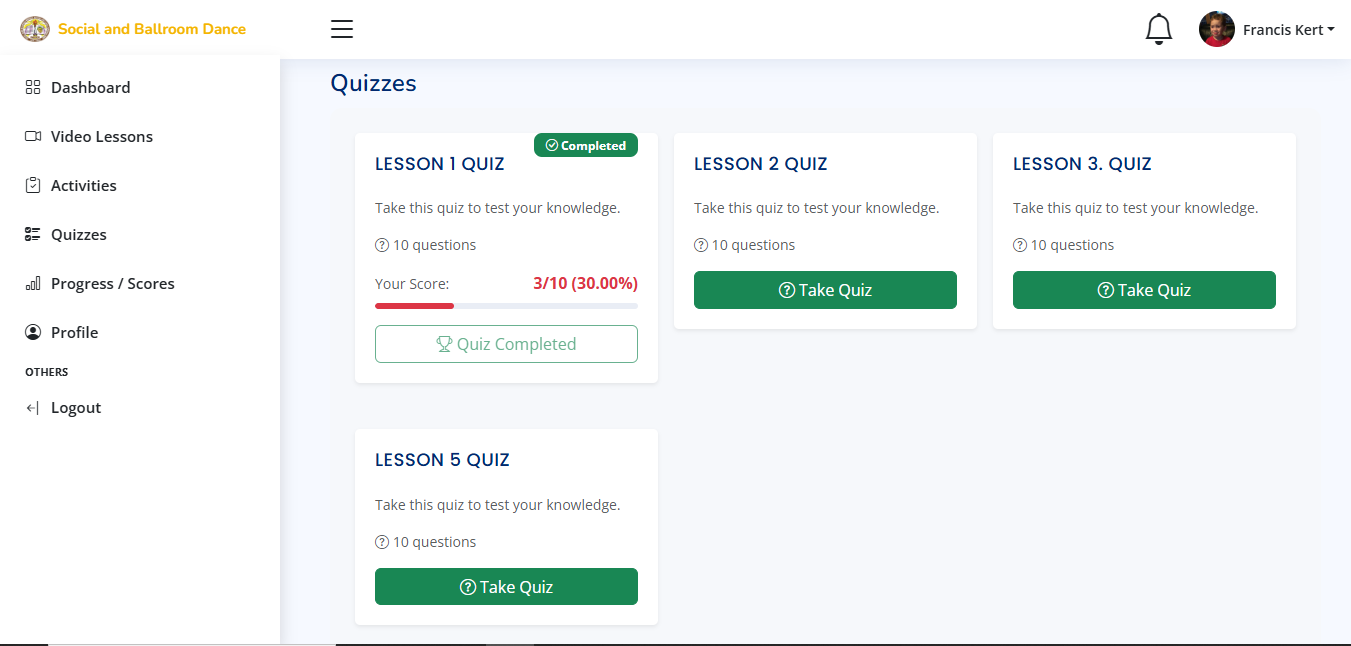
Step 8: Quizzes
Students can take quizzes to test their knowledge and understanding of the dance techniques and history.
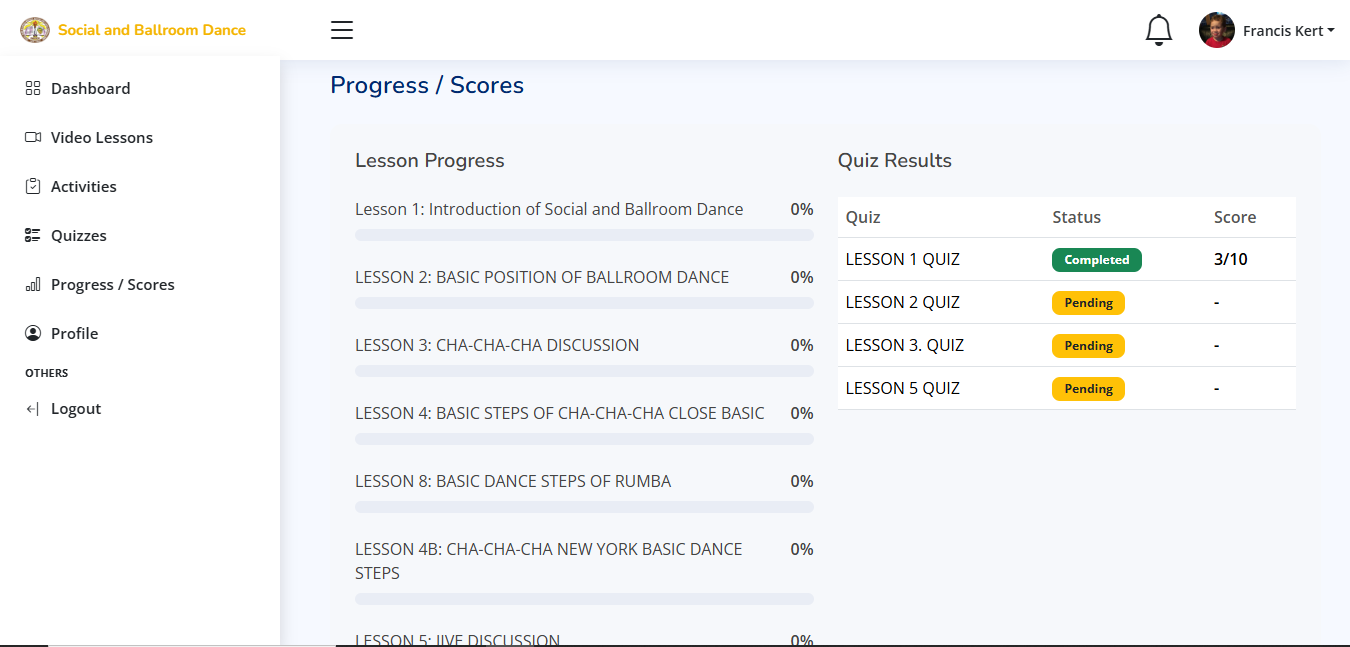
Step 9: Progress / Scores
Students can view their progress and scores to track their development and identify areas for improvement.
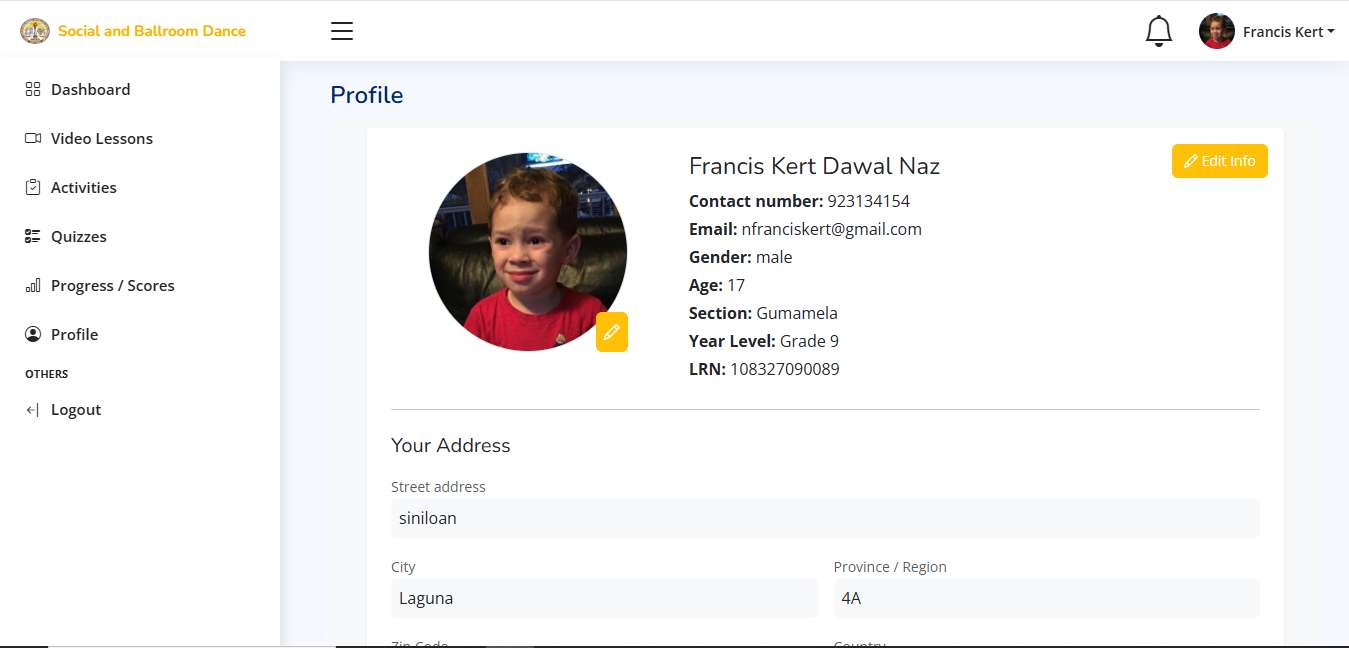
Step 10: Profile
Students can view their profile information and change their personal details.